
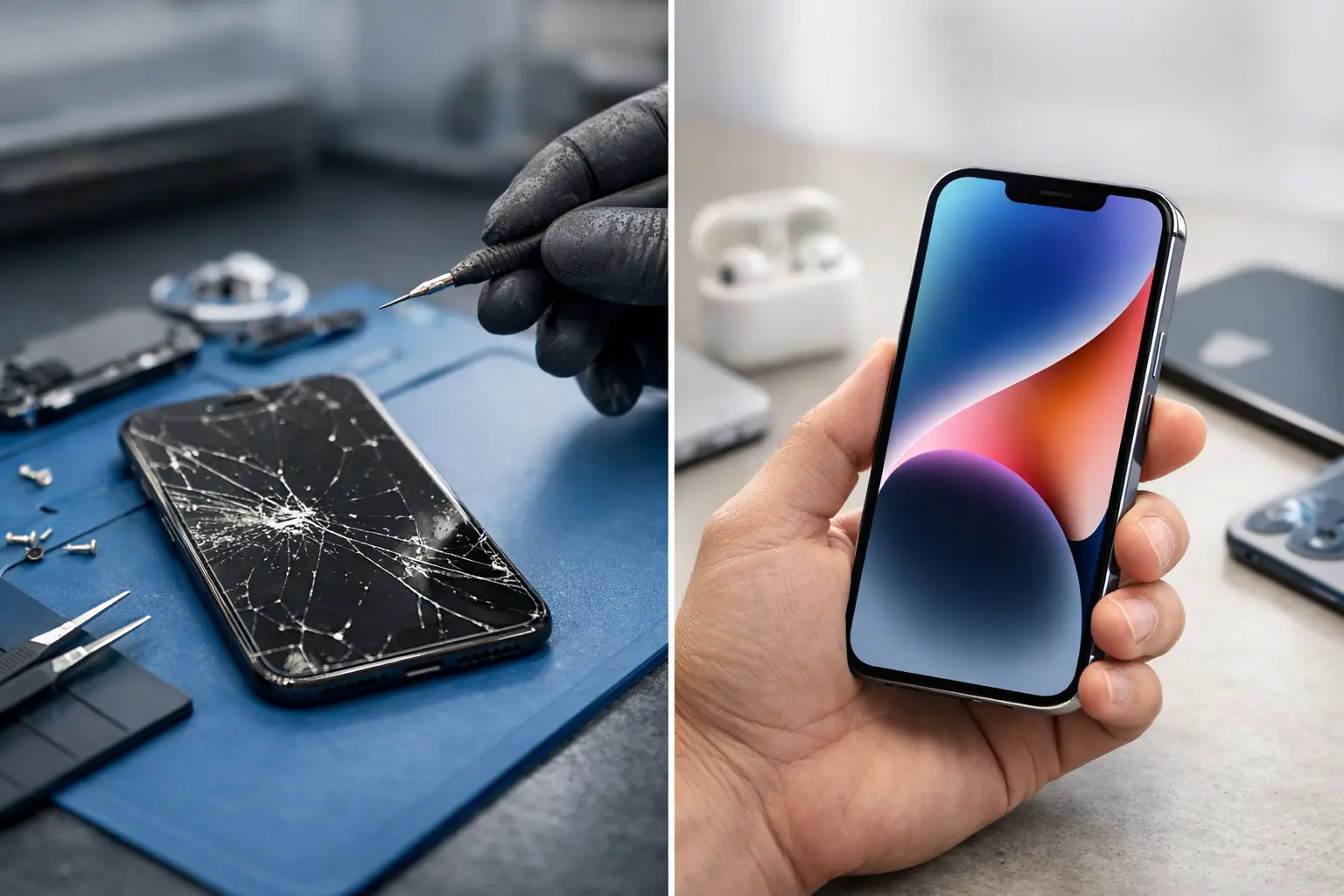
A cracked iPhone screen rarely happens at a convenient time. It may be the phone you use for work shifts, university notes, school messages, banking, maps and keeping in touch with family. When the glass breaks or the display starts flickering, the immediate question is usually not just “can it be fixed?” It is whether spending money on a repair still makes sense.
An iPhone screen repair or upgrade decision comes down to more than the crack itself. The model of iPhone, the condition of the battery, the reliability of the phone and what you actually need it to do all matter. A good repair can give a perfectly capable device several more useful years. In other cases, putting that money towards a newer handset is the better call.
Start with the screen damage, not the worst-case scenario
Not every damaged screen means the same thing. A single hairline crack that does not affect touch response is different from shattered glass, black patches, coloured lines, ghost touches or a display that no longer turns on. The latter symptoms can point to damage beneath the glass, but they can still often be resolved with a proper screen replacement.
If your iPhone is otherwise running well, a screen repair is normally the sensible first option. Modern iPhones are built to last, and a damaged display does not automatically make the rest of the handset obsolete. Replacing the screen can restore clear viewing, reliable touch control and safe use without the cost and disruption of changing phone.
Do not leave a broken screen longer than necessary just because it still works. Cracks can spread, sharp edges can cause cuts, and gaps in the glass make the phone more vulnerable to moisture and further impact damage. A display that starts with one small crack can become difficult to use surprisingly quickly.
When an iPhone screen repair is usually worth it
A repair generally represents good value when the phone meets your everyday needs and has no major faults beyond the display. This is particularly true for newer models, but it can also apply to older iPhones that remain quick enough for calls, messaging, apps, photos and contactless payments.
Think about how the phone was performing before the accident. If you were happy with the camera, storage, speed and network connection last week, a broken screen alone is not a strong reason to replace it this week. The damage has changed the condition of the device, not necessarily its usefulness.
Screen repair is also a practical choice when you need your phone back quickly. Moving to a new handset involves choosing a model, transferring data, logging back into apps, setting up banking and authentication tools, and possibly arranging a new contract. For someone working long shifts, studying or managing a family, that can be more inconvenient than the purchase price suggests.
At iHelp Gadget Repairs, many iPhone screen repairs can be completed in under 30 minutes, subject to the model and fault. That means you can deal directly with the technician handling your device rather than posting it away and waiting days for updates. A quality screen replacement backed by a lifetime screen warranty also gives useful reassurance when repair is the right route.
Battery health can change the calculation
Battery health is often the deciding factor people miss. If your iPhone needs a screen and the battery is draining before the end of the day, shutting down unexpectedly or showing a significantly reduced maximum capacity, it is worth considering the combined cost of putting both issues right.
That does not always mean upgrade. A screen and battery repair can still cost far less than a replacement phone and can make an otherwise reliable iPhone feel markedly better. But if several expensive repairs are needed at once, the balance starts to shift.
Be honest about your charging habits too. A battery that is only struggling because you use navigation, video calls and mobile data all day is not necessarily faulty. A proper diagnostic helps separate normal wear from a genuine hardware issue.
When upgrading makes more sense
There are situations where repairing the screen is simply delaying a larger problem. If the phone has repeated faults, poor battery life, charging issues, damaged cameras, unreliable Face ID or signs of water damage, a new screen may not be the most economical next step.
An upgrade may also be reasonable if your current iPhone no longer supports the apps or software features you rely on, has too little storage for work or family photos, or regularly slows you down. This is not about chasing the latest model. It is about whether the handset still serves its purpose without creating daily frustration.
Consider an upgrade carefully if the display damage is part of a larger impact. For example, a phone that has been run over, dropped from height or exposed to water may have hidden damage to the frame, battery or internal connections. In that case, a diagnostic before committing to a repair is the sensible approach. It gives you a clear picture of the likely repair rather than a guess based on the front glass alone.
Compare the full cost, not just the screen price
The cheapest screen quote is not always the cheapest outcome. Screen quality affects brightness, colour, touch sensitivity and durability. Poor-quality parts can also lead to further inconvenience, especially if the display is used heavily for work, school or travel.
When comparing repair against replacement, include the costs that are easy to overlook: a case and screen protector for a new phone, a possible contract change, accessories with different connectors, insurance excesses and time spent setting everything up. If you have a recent model with a single damaged display, these extras often make repair even more attractive.
On the other hand, do not spend heavily on a repair just because the phone has sentimental value or because upgrading feels wasteful. There is a sensible middle ground. A trusted technician should explain what is wrong, what the repair involves and whether there are signs that make an upgrade more sensible. Clear advice matters more than being pushed towards the highest-value job.
Questions to ask before deciding
A useful iPhone screen repair or upgrade decision can be made by answering a few straightforward questions. Is the screen the only fault? Does the battery still get you through your normal day? Are you happy with the camera, storage and speed? Would a repaired phone meet your needs for another year or two? And finally, is the repair covered by a meaningful warranty?
If the answer to most of those questions is yes, repair is likely the better value option. You keep a familiar phone, avoid unnecessary set-up time and reduce electronic waste. Extending the life of a device through a quality repair is often the most practical choice as well as the more responsible one.
If the answer is no, particularly where several components are failing, upgrade with confidence rather than repeatedly spending on a handset that is nearing the end of its useful life. Back up your data first, remove sensitive accounts before passing the phone on, and look at trade-in or responsible recycling options rather than leaving it in a drawer.
Protect whichever choice you make
A repaired or new screen is worth protecting from day one. A properly fitted screen protector and a case with a raised edge can make a meaningful difference during the next drop. They are not invincible, but they absorb the small knocks that happen when a phone slips from a pocket, car seat or kitchen worktop.
It also helps to deal with any case that has become loose or warped. A case that no longer grips the corners properly gives a false sense of security. If you work outdoors, travel by bike or have young children borrowing your phone, choose protection that fits your routine rather than the thinnest option available.
The right answer is rarely about having the newest iPhone. It is about having a phone you can rely on. If the rest of your device is sound, a well-fitted screen repair can be the quick, sensible reset that keeps your day moving.