
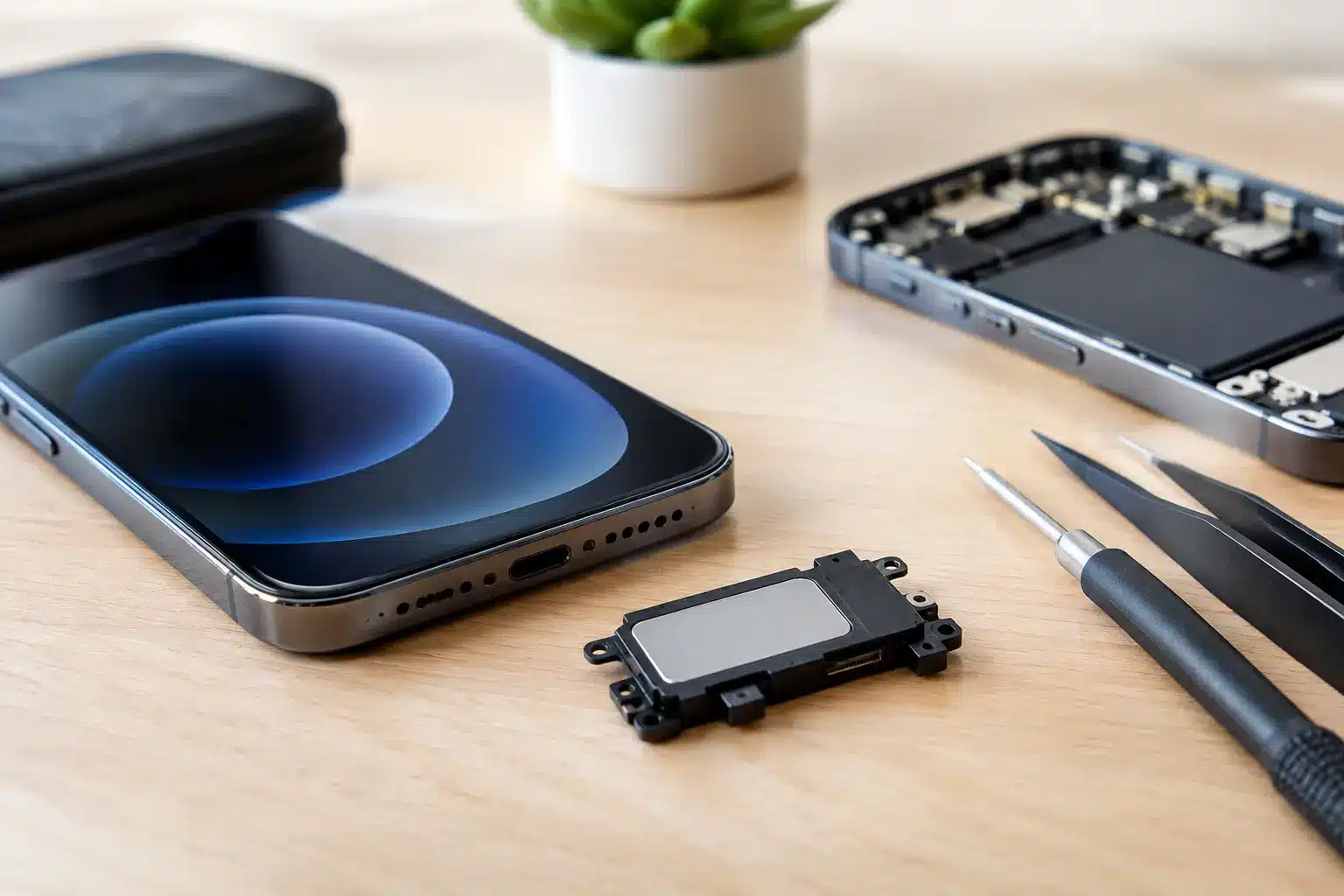
A quiet, crackling or muffled iPhone is more than an annoyance when you rely on it for calls, alarms, work messages and family video chats. iPhone speaker repair can often restore clear sound quickly, but the right solution depends on which speaker is affected, what caused the fault and whether the problem is actually with the hardware at all.
Before assuming your iPhone needs a replacement part, it is worth checking the simple causes. If cleaning and settings checks do not help, a local repair specialist can diagnose the issue properly and give you a clear answer before any work starts.
Which iPhone speaker has stopped working?
Your iPhone has more than one component involved in sound. The bottom loudspeaker handles music, videos, ringtones and speakerphone calls. The earpiece speaker at the top of the display lets you hear people during normal phone calls. There are also microphones, which can make callers think there is a speaker fault when they cannot hear you clearly.
The symptoms usually point towards the affected part. If music and ringtones are faint or distorted, the bottom loudspeaker may be blocked, damaged or failing. If calls are quiet only when the phone is held to your ear, the earpiece speaker or its mesh may be the issue. If sound works through Bluetooth headphones but not from the phone itself, that also narrows the diagnosis towards the speaker assembly, settings or debris in the grille.
Knowing when the fault occurs helps avoid replacing the wrong part. A good diagnostic is not just about fitting components. It is about identifying the cause first.
Common causes of poor iPhone sound
Pocket lint, dust, makeup and everyday grime can gradually block the fine mesh over an earpiece or loudspeaker. This is particularly common with phones carried loose in a pocket, bag or work uniform. The sound may become dull over weeks rather than fail suddenly.
Moisture is another frequent cause. Even water-resistant iPhones are not waterproof, and resistance reduces with age, impact damage and worn seals. Steam in a bathroom, rain, a spilled drink or a drop in water can affect speaker performance. Sound that becomes tinny straight after getting wet should be taken seriously, especially if other functions are also behaving oddly.
Drops can damage the loudspeaker itself, its connections or nearby internal components. A cracked screen does not always mean the speaker is damaged, but a hard impact can cause more than one fault at once. On older phones, natural wear can also catch up with the speaker after years of daily use.
There is another possibility: the speaker may be working perfectly, but software or settings are getting in the way. Bluetooth may still be connected to a car, speaker or earbuds. The volume could be turned down for the specific function you are using. A recent update or app issue may also affect sound temporarily.
Checks to make before booking iPhone speaker repair
A few careful checks can save time and help describe the problem accurately. First, remove any case or screen protector that covers part of the earpiece area. Test a ringtone, a video and a phone call, as each uses sound slightly differently. Then check the volume while that sound is playing, rather than only from the home screen.
Open Bluetooth settings and disconnect any devices you do not intend to use. If the sound immediately returns, the iPhone was sending audio elsewhere. Restarting the phone can also clear a temporary software glitch.
For visible dust around the speaker grille, use a clean, dry, soft brush and gentle strokes. Do not push pins, paperclips or sharp tools into the mesh. It is easy to puncture a delicate grille, compact debris further inside or damage a component that was otherwise repairable. Avoid pouring liquid, spraying cleaner directly into the phone or using excessive compressed air as well.
If the phone has been wet, do not charge it until it is fully dry and do not rely on rice as a fix. Rice does not remove moisture from inside the device and can leave dust behind. Switch the phone off if possible, keep it in a dry, ventilated place and arrange an assessment if sound does not return.
When iPhone speaker repair is the right answer
If the speaker remains silent, distorts at ordinary volume or cuts in and out after basic checks, professional iPhone speaker repair is usually the sensible next step. The same applies when a fault follows a drop or liquid exposure. Continuing to use a phone with intermittent sound may be manageable for a few days, but it can make calls unreliable and leave you missing alarms or important notifications.
A repairer should test the speaker, earpiece, microphones and charging functions where relevant. On many iPhone models, the lower speaker sits close to the charging port assembly, so a charging issue and poor sound can sometimes be connected. This is why diagnosis matters more than guessing from one symptom.
Repair is often better value than replacing an otherwise reliable phone. That said, it depends on the device’s age, its overall condition and whether there is additional water or board-level damage. If a much older phone has a worn battery, damaged screen and speaker fault, it is worth discussing the total cost honestly before proceeding.
What happens during a speaker repair?
For a straightforward fault, the process begins with testing to confirm whether the issue is the loudspeaker, earpiece, mesh, microphone, charging assembly or software. Once the cause is clear, you should receive a transparent price and an explanation of the recommended repair.
The phone is opened using the correct tools, the faulty component is replaced or the relevant area is cleaned and repaired, then the device is tested again. A proper final test should cover calls, loudspeaker audio, media playback, microphone performance and charging where applicable. The aim is not simply to hear a sound from the phone, but to make sure it works reliably in normal use.
Turnaround can be quick for common iPhone faults when the required part is available. iHelp Gadget Repairs in Southsea offers many iPhone repairs in under 30 minutes, with customers dealing directly with Dan from enquiry to collection. That direct contact matters if the initial diagnosis uncovers a related issue or you have a question about the repair.
Choosing a repairer in Portsmouth and Southsea
Price matters, but it should not be the only deciding factor. Very cheap repairs can mean uncertain part quality, limited testing or no meaningful warranty if the fault returns. Ask what is included, whether the quoted price covers diagnosis and fitting, and what warranty applies to the completed work.
A local independent repair specialist has a practical advantage when your phone is part of your daily routine. You can speak to the person handling it, explain exactly what happened and avoid posting your device away for an unknown period. For students, NHS staff, armed forces personnel, parents and busy professionals around Portsmouth, that can make a genuine difference.
Look for clear local reviews, realistic timescales and a repairer who is willing to say when a repair may not be worthwhile. More than 20 years of experience is useful, but accountability is just as important: you should know who is responsible for your device and what happens if there is a problem afterwards.
Protecting your iPhone speaker after repair
Once clear sound is restored, a little routine care can help keep it that way. Clean the outside of the speaker and earpiece mesh gently with a dry soft brush now and then, especially if you work in dusty environments or carry the phone in a pocket. Keep it away from steam and moisture where possible, and use a case that does not obstruct the speaker openings.
If sound changes suddenly after a fall, water exposure or charging problem, do not wait for it to become a bigger fault. A quick, honest assessment can give you clarity and get your iPhone back to doing the ordinary jobs you depend on every day.