
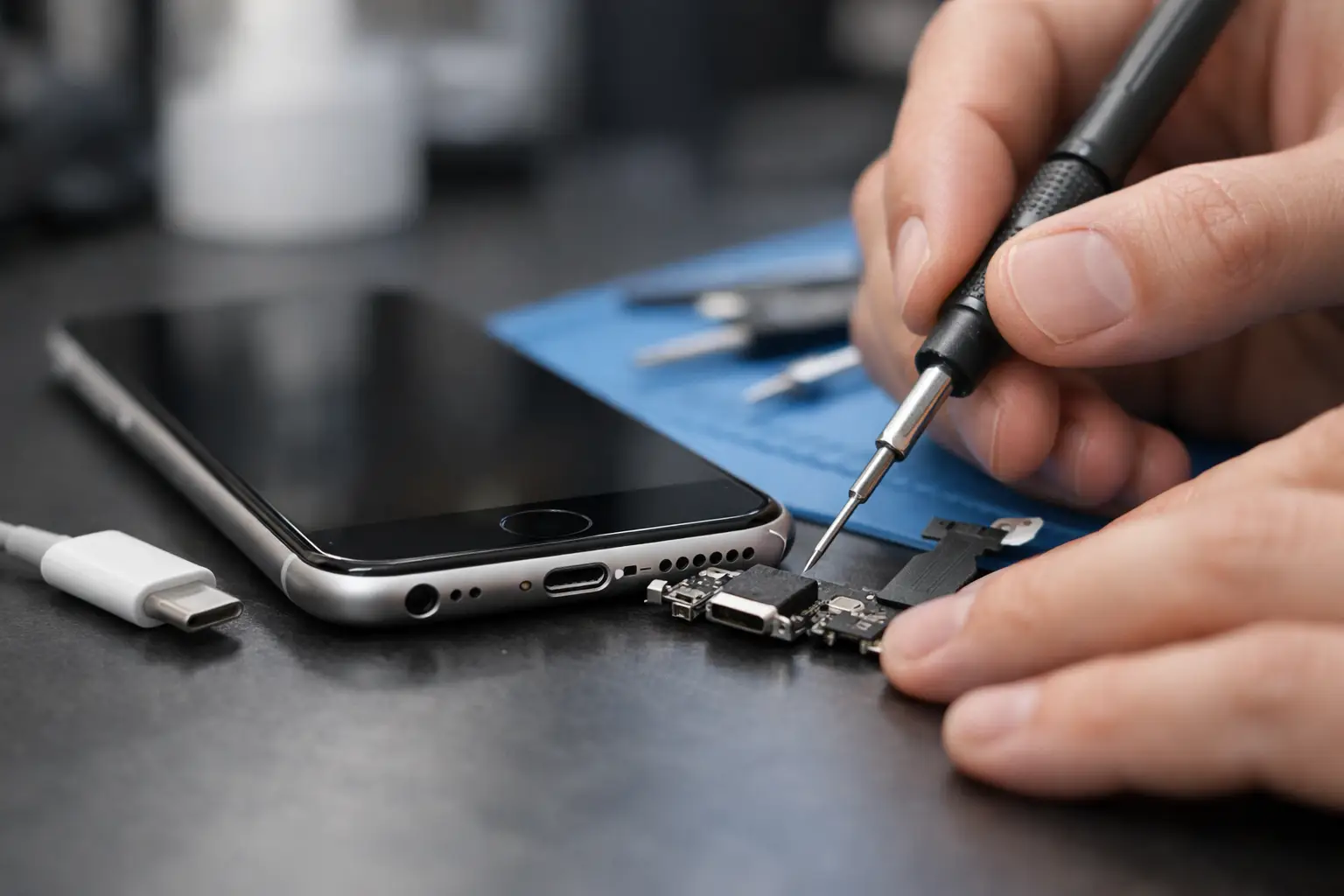
When your iPhone only charges at a certain angle, keeps disconnecting, or refuses to charge at all, it quickly becomes more than a minor annoyance. If you are searching for how to fix iphone charging port problems, the first thing to know is that some faults are simple and some need proper repair. The trick is knowing which is which before the issue gets worse.
A charging fault does not always mean the port itself has failed. In our experience, the cause is often trapped pocket lint, a worn cable, moisture exposure, or internal damage from repeated strain. That matters because the right fix for one problem can make another one worse if you guess.
How to fix iPhone charging port problems safely
Start with the obvious, but do it properly. Many people jump straight to buying a new charger or forcing debris out with the wrong tool. A careful check can save time and avoid damaging the charging pins inside the port.
First, test with a different charging cable and plug. Ideally, use a cable you know works with another iPhone. Charging faults are often caused by tired cables, split connectors, or poor-quality plugs rather than the phone itself. If your iPhone charges normally with another lead, the port may be fine.
Next, inspect the charging port under a bright light. If you can see compacted lint at the bottom, that is a strong sign the connector cannot seat fully. This is especially common if your phone lives in a pocket, handbag or work trousers every day. The cable may appear plugged in, but it is not making a secure connection.
If debris is visible, switch the iPhone off before cleaning it. Use a plastic or wooden tool only, something gentle and non-conductive such as a soft toothpick. Work slowly and avoid pushing hard against the internal contacts. A small amount of loosened lint can make an immediate difference. Compressed air can help in some cases, but it should be used lightly. Blasting the port at close range can force dirt deeper inside.
Do not use anything metal. A pin, paperclip or SIM tool might seem precise, but it can scratch or bend the charging contacts. That turns a simple clean into a repair job.
Signs the charging port is dirty, loose or damaged
A dirty port and a damaged port can look similar from the outside, but they behave slightly differently. If the phone charges intermittently, or only when the cable is held at an awkward angle, there may be compacted dirt stopping a proper fit. If the cable feels loose even after cleaning, wear inside the port is more likely.
Another clue is how the phone responds when plugged in. If there is no charging symbol at all, the issue could be the cable, the port, the battery, or the charging circuit. If charging starts and stops with the slightest movement, that usually points to a physical connection problem.
Moisture can complicate things. If your iPhone shows a liquid detection warning, stop charging it and let it dry fully. Trying to force the issue can corrode the port or short internal components. Even if the warning disappears later, charging may still be unreliable if moisture has already caused damage.
There is also normal wear to consider. Charging ports do not last forever, particularly on phones that are charged multiple times a day or used while plugged in. Pulling the cable out at an angle, resting the phone on the connector in bed, or using cheap accessories all add strain over time.
When cleaning is enough
If the problem appeared gradually and the cable no longer clicks in firmly, lint is a likely cause. A careful clean often sorts it. The same applies if your phone charges perfectly with one cable but not another. In those cases, the port may not need repair at all.
When the port itself is failing
If you have cleaned the port, tried a known good cable and plug, restarted the phone, and the fault is still there, it is usually time for a proper diagnostic. A loose internal connection, damaged dock assembly, or board-level issue will not be fixed at home.
What not to do when trying to fix an iPhone charging port
This is where people often turn a manageable fault into a bigger one. Avoid soaking the port with cleaning fluid, even if a video online makes it look easy. Liquids and electronics are rarely a good mix unless the device is being handled properly by a technician.
It is also worth avoiding bargain charging accessories while you are testing. Low-quality cables can cause inconsistent charging, trigger accessory warnings, and muddy the picture. If you are diagnosing a fault, use reliable kit so you are not chasing the wrong issue.
Another common mistake is ignoring the battery. Sometimes what looks like a charging port fault is actually a failing battery that is not accepting charge correctly. If the phone only charges to a certain percentage, gets unusually warm, or loses power quickly after unplugging, the battery should be considered as part of the diagnosis.
How to fix iPhone charging port faults that need repair
Once a port is physically worn or damaged, the fix is usually replacement rather than adjustment. On most iPhone models, the charging port is part of a larger assembly and fitting it properly takes care, experience and the right tools. It is not a job we would describe as a casual DIY repair.
Opening an iPhone means working around delicate screens, adhesive seals and compact internal components. On newer models, the repair becomes even more intricate. The trade-off is simple. DIY may seem cheaper at first, but if a screen is cracked during opening or another component is damaged, the cost usually rises fast.
That is why many local customers choose a repair shop rather than taking the risk themselves. A proper diagnostic confirms whether the fault is the port, battery, charging IC, or something less obvious. It also means the repair can be done with suitable parts and backed by a warranty, which matters if you rely on your phone every day.
At iHelp Gadget Repairs, charging faults are assessed with that in mind – not every phone needs a charging port replacement, and not every charging problem starts there. Honest diagnosis saves people paying for the wrong repair.
When to stop troubleshooting and book a repair
If your iPhone has already had a careful clean and known good accessories do not solve it, there is little value in repeating the same steps. The same applies if the port looks damaged, the connector feels loose, or the phone has a history of drops or water exposure.
For most people in Portsmouth and Southsea, speed matters as much as the fix itself. You need the phone for work messages, maps, banking, family calls and everything else that now sits in one device. Waiting around with a charger balanced at a certain angle is not really a solution.
A local repair is often the most sensible next step because you get a clear answer quickly. If it is just debris, that can usually be confirmed straight away. If the charging port needs replacing, you know the cost, the timescale and what warranty comes with it. That is a far better option than buying random accessories and hoping one of them solves the issue.
A quick check before you assume the worst
Before booking anything, test three things calmly: a different cable, a different plug, and a clean port. If your iPhone still will not charge properly after that, the fault is probably beyond basic home fixes.
There is no prize for putting up with a bad charging connection for weeks. Small charging problems tend to become bigger ones, especially if the cable has to be forced or held in place. Getting it looked at early usually means less hassle, less downtime and a better chance of keeping the repair straightforward.
If your iPhone is unreliable on charge, trust what it is telling you. A stable connection should be simple. If it is not, a proper repair is often the quickest way back to normal.