
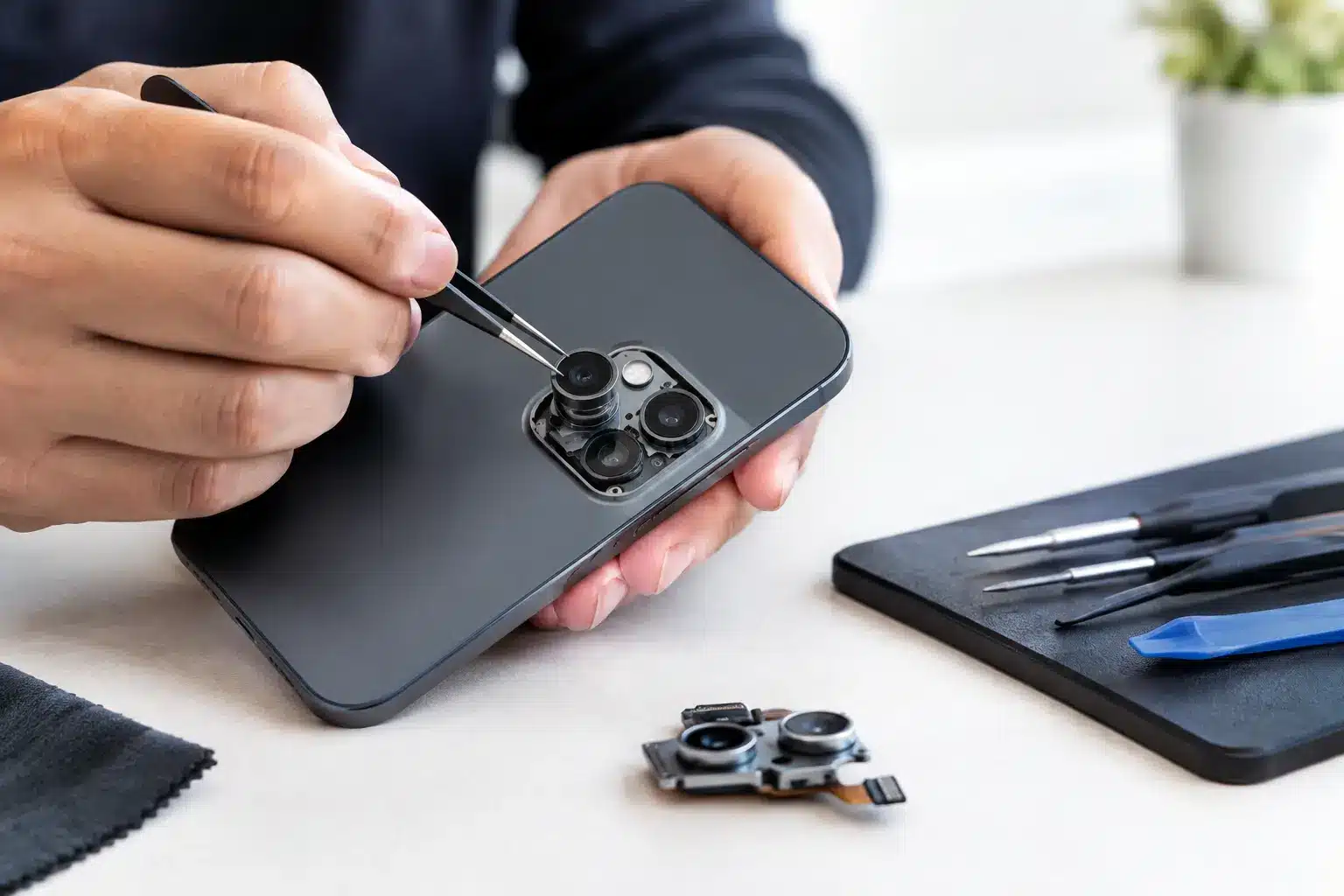
A phone camera fault is rarely convenient. It shows up when you need to scan a work document, capture a child’s school event, join a video call or simply prove where you parked. Phone camera repair can often restore a device that otherwise works perfectly, but the right fix depends on whether the issue is with the lens, the camera module, the software or damage elsewhere in the phone.
For Portsmouth and Southsea customers, the key is getting a clear diagnosis before spending money on a repair or replacing a handset that may have plenty of life left in it. A camera that will not focus is not always a broken camera. Equally, a cracked lens cover should not be ignored just because the camera still appears to work.
What a phone camera fault can look like
Camera problems are not all as obvious as a smashed lens. You may see a black screen when opening the camera app, blurry images that never sharpen, a camera that shakes or makes a clicking sound, or a message saying the camera is unavailable. Some phones switch between lenses for standard, ultra-wide and zoom shots, so one mode may fail while another continues to work.
Poor image quality can also appear gradually. Photos may become hazy, show dark spots, flare badly in bright light or refuse to focus on anything close up. If the rear camera is affected after a drop, water exposure or a back-glass break, physical damage is more likely. If both front and rear cameras stop working immediately after an update, software is worth checking first.
The symptoms matter because they determine whether a simple clean, a replacement lens cover, a camera module replacement or further board-level diagnosis is appropriate. An honest repairer should explain that difference rather than treating every fault as the same job.
Check the simple causes before booking phone camera repair
A few careful checks can rule out a temporary issue without putting your phone at risk. Start by removing the case and any lens protector. Cheap or poorly fitted lens protectors can create glare, blur and focusing problems, particularly at night. Wipe the lens gently with a clean microfibre cloth. Avoid household cleaners, compressed air and anything abrasive, as these can damage lens coatings or push moisture further into the device.
Next, restart the phone and test the camera in more than one app. Try the standard camera app first, then a video call or messaging app. If the problem is limited to one app, the camera hardware may be fine. Checking for a software update can help too, although an update is not a cure for a lens that has been cracked or a camera module damaged by impact.
It is also worth checking available storage. A phone that is almost full can struggle to save photos or record video, which can feel like a camera fault. If you are comfortable doing so, reset only the camera settings or app settings before considering a full phone reset. Back up important data first. A factory reset is a last resort, not the first response to a blurry camera.
When damage needs professional attention
If the camera lens glass is cracked, chipped or missing, arrange a repair promptly. The outer lens cover helps keep dust and moisture away from the camera module. Leaving it exposed may turn a relatively straightforward repair into a more involved one, especially if debris reaches the internal lens.
A camera that rattles, vibrates or cannot focus after a drop may have a damaged stabilisation mechanism. Modern iPhone cameras use delicate components to produce clear photos and steady video. They are impressive when working correctly, but a sharp impact can affect alignment or damage the module even when the screen has survived.
Water is another reason not to wait. Many recent phones have water resistance, not permanent waterproofing. Seals can weaken with age, previous damage and everyday wear. If moisture appears inside a camera lens or photos suddenly look foggy after rain, a spill or a bathroom mishap, switch the phone off where possible and seek advice. Do not charge it, heat it on a radiator or bury it in rice. Those approaches can make recovery harder and do not remove moisture from sensitive internal parts.
Why camera faults need a proper diagnosis
The camera itself is not always the source of the problem. On some devices, a damaged screen, faulty charging system, battery issue or previous poor-quality repair can affect how the camera performs. Front cameras and face-recognition components are particularly close to the display assembly on many models, so careless screen work can create new faults.
This is where local, owner-led repair makes a real difference. You should know what has been found, what part is likely required and whether the repair is worthwhile before authorising work. At iHelp Gadget Repairs, customers deal directly with Dan from enquiry through to completion, rather than passing through a call centre, courier process and unknown technician.
A diagnosis should also account for the age and value of the phone. Replacing a camera module on a recent iPhone can be a sensible way to avoid the cost and disruption of a new handset. On an older device with battery problems, screen damage and unreliable charging, it may be better to discuss priorities before investing in several repairs. There is no one-size-fits-all answer, and a good repair recommendation should reflect that.
Parts quality, features and realistic expectations
Camera repair is not simply a case of fitting any available part. Modern phones are tightly integrated, and part quality matters to photo clarity, focusing, stabilisation and compatibility. Where genuine parts are available and appropriate, they can be the best option. High-quality replacement parts can also be suitable in many repairs, provided you understand what is being fitted and why.
Some newer phones may display a parts or service message after certain component replacements. This does not automatically mean the camera will not work, but it is worth discussing beforehand. Certain features may require careful transfer, calibration or testing. A reputable technician will explain any limitations plainly rather than promising a result that cannot be guaranteed.
Ask about the repair warranty as well. Warranty terms can vary by part and fault, particularly where liquid damage or an existing underlying issue is involved. Clear terms give you confidence that the repairer stands behind their workmanship. They also help avoid the unpleasant surprise of discovering that a new issue is unrelated to the original repair.
Choosing a local repairer in Portsmouth
Convenience matters when your phone is part of your work, study, family life and travel. A local repair service means you can speak to the person handling the device, ask questions before work begins and collect it without posting away a phone containing years of photos, messages and apps.
Look for transparent pricing, a realistic turnaround estimate and reviews that mention communication as well as technical results. Fast service is valuable, but it should not mean rushed diagnosis or vague promises. Some iPhone repairs can be completed very quickly, while camera faults may need more careful testing or parts ordering. The right timescale is the one that protects the quality of the repair.
Before handing over your device, back it up if you can and make sure you know your passcode. You may also need to disable security features temporarily so the camera can be fully tested after repair. A professional should treat your privacy with care and only request access where it is needed to confirm the fault and check the completed work.
A clear camera is more than a nice extra on a modern phone. It keeps everyday moments, work tasks and important documents within reach. If yours is blurry, cracked, unresponsive or showing signs of moisture, getting it checked early is often the simplest way to keep a small fault from becoming a bigger one.