
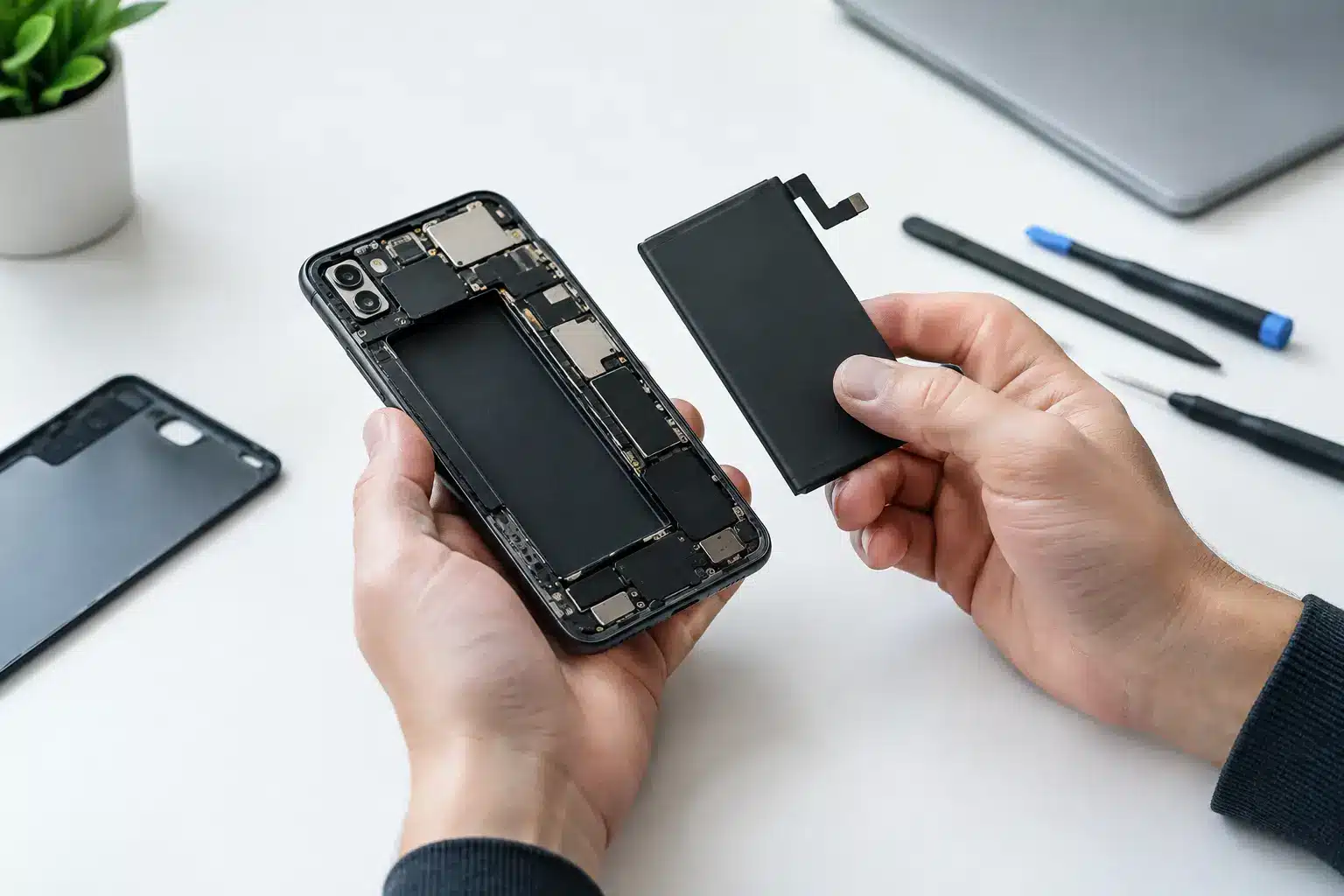
A phone that drops from 30% to zero on the walk to work is more than an inconvenience. It can mean missed calls, lost access to tickets or banking, and a device that is no longer dependable when you need it. Battery replacement is often the most practical way to restore that reliability without the cost and disruption of buying a new device.
For iPhone, iPad and MacBook users in Portsmouth and Southsea, the key is knowing whether the battery is genuinely the problem, what a proper repair involves, and when another fault may be causing similar symptoms. A clear diagnosis before any work starts saves time, avoids unnecessary cost and gives you a realistic expectation of the result.
When battery replacement is the right repair
Rechargeable batteries wear gradually. Every time a device is charged and discharged, the battery loses a small amount of its original capacity. Heat, heavy use, fast charging and simply the passing of time can all speed up that process. It is normal for an older device to need charging more often than it did when new, but there comes a point where the decline affects everyday use.
The most familiar sign is shorter battery life. You may leave home with a full charge and find yourself looking for a plug by lunchtime, despite using the phone much as you always have. Sudden percentage drops are another strong warning sign. If the battery falls from 40% to 15% in a few minutes, or the device switches itself off while it still appears to have charge left, its ability to hold and deliver power may be reduced.
Sluggish performance can also be connected to battery health, particularly on some older iPhones. A device may take longer to open apps, feel less responsive or restart unexpectedly under load. This does not automatically mean the battery is at fault, but it is worth checking alongside other causes such as limited storage, software issues or a damaged charging circuit.
Physical changes need more urgent attention. A screen that is lifting away from the frame, a back cover that no longer sits flat, or unusual warmth during ordinary use can indicate a swollen battery. Do not press the screen back down or continue charging the device in the hope that it settles. Stop using it where possible and arrange an assessment promptly. A swollen battery needs careful handling.
Battery replacement is not the answer to every charging problem
A device that will not charge is not always suffering from a worn battery. This is where a proper inspection matters. Dust and compacted pocket fluff can prevent a charging cable from seating correctly in the port. A damaged cable or plug can cause intermittent charging, while a faulty charging port, wireless charging coil or power-management component may produce very similar symptoms.
The same applies to a MacBook that only works while connected to the mains. Its battery may be at the end of its working life, but the issue could also involve the charger, charging port, internal power circuitry or software. Replacing a battery without confirming the cause is not good repair practice.
A technician should ask about the symptoms, check how the device accepts power and assess its overall condition before recommending work. If a battery replacement is appropriate, you should know what part is being fitted, what the price covers and what warranty applies. Straight answers are particularly valuable when your device holds the photos, messages and work files you rely on.
Battery health figures are useful, but not the whole story
On supported iPhones, battery health information can offer a helpful starting point. A lower maximum capacity figure generally indicates more wear, and a service message is a clear prompt to have the device checked. However, the percentage alone should not make the decision for you.
A phone showing 82% capacity may still suit someone who uses it lightly and has easy access to charging. Another at 87% may be frustratingly unreliable because it shuts down in cold weather, has a heavy daily workload or is affected by another fault. Your actual experience matters as much as the number on the screen.
With iPads and MacBooks, the picture can be less straightforward. Battery condition, charge cycles, age and usage patterns all play a part. An assessment should consider whether the device is still practical for your day, not just whether a single reading looks low.
What a quality battery repair should include
Battery work involves opening a device that was designed to be compact and tightly assembled. On modern smartphones, the screen, adhesives, connectors and seals all need to be handled carefully. The job is not simply a matter of fitting a new cell and switching the phone on.
A quality repair starts with safe disassembly and a suitable replacement part. The battery must be installed securely, with the correct connections and without damaging nearby components. Once reassembled, the device should be tested for charging, power-on behaviour and normal operation. If the screen has been removed, it should sit correctly and respond properly across the display.
Part quality matters. The cheapest option can be tempting when a phone is already a few years old, but poor-quality batteries may offer disappointing capacity, inconsistent performance or a shorter useful life. The best choice depends on your device, how long you plan to keep it and the availability of genuine or high-quality compatible parts.
There can also be trade-offs with water resistance. Many phones use adhesive seals around the display or housing. Careful repair helps protect the device, but no independent repair should promise that a previously opened handset has exactly the same factory water-resistance rating as a new one. It is sensible to keep any repaired device away from water, regardless of its original rating.
At iHelp Gadget Repairs, customers deal directly with Dan from the initial enquiry through to the completed repair. That means the person discussing the symptoms is the person accountable for the diagnosis and the work, rather than a call centre or a chain of handovers.
How long does a battery replacement take?
Turnaround depends on the device and the fault. Many iPhone repairs can be completed quickly when the correct part is available and there are no further issues discovered during testing. iPads and MacBooks are often more involved because of their construction, adhesive systems and the amount of dismantling required.
It is better to be given a realistic timeframe than a rushed promise. A repair that needs careful inspection, safe battery removal and thorough testing deserves the time required to do it properly. If you depend on your device for work, study or family contact, ask about likely turnaround before booking so you can plan around it.
Before handing over any device, back it up if you can. Battery replacement does not normally require data to be removed, but a current backup is sensible for any repair. You should also know your device passcode if testing will be needed, and remove payment cards or sensitive information if that gives you peace of mind.
Getting more from your new battery
A new battery should make your device more dependable, but it cannot overcome every drain on power. After the repair, check which apps use the most battery and update your software when appropriate. Constant navigation, video calls, mobile hotspot use, gaming and poor signal areas all place extra demand on a phone.
Try to avoid prolonged heat, such as leaving a device on a dashboard or under bedding while charging. Heat is one of the quickest ways to shorten battery life. Use a good-quality charging cable and plug, and replace accessories that are loose, damaged or unreliable.
You do not need to let a modern lithium-ion battery run completely flat before charging it. In fact, regular deep discharges are unnecessary. Charge when convenient, avoid extreme temperatures and pay attention if the device starts behaving differently. Catching a problem early is usually simpler than waiting until a phone will no longer power on.
A dependable device should not require you to carry a charger everywhere or worry whether it will last through a shift, lecture or journey home. If your battery is no longer keeping up, an honest assessment can tell you whether a replacement will give your device the useful extra life it deserves.