
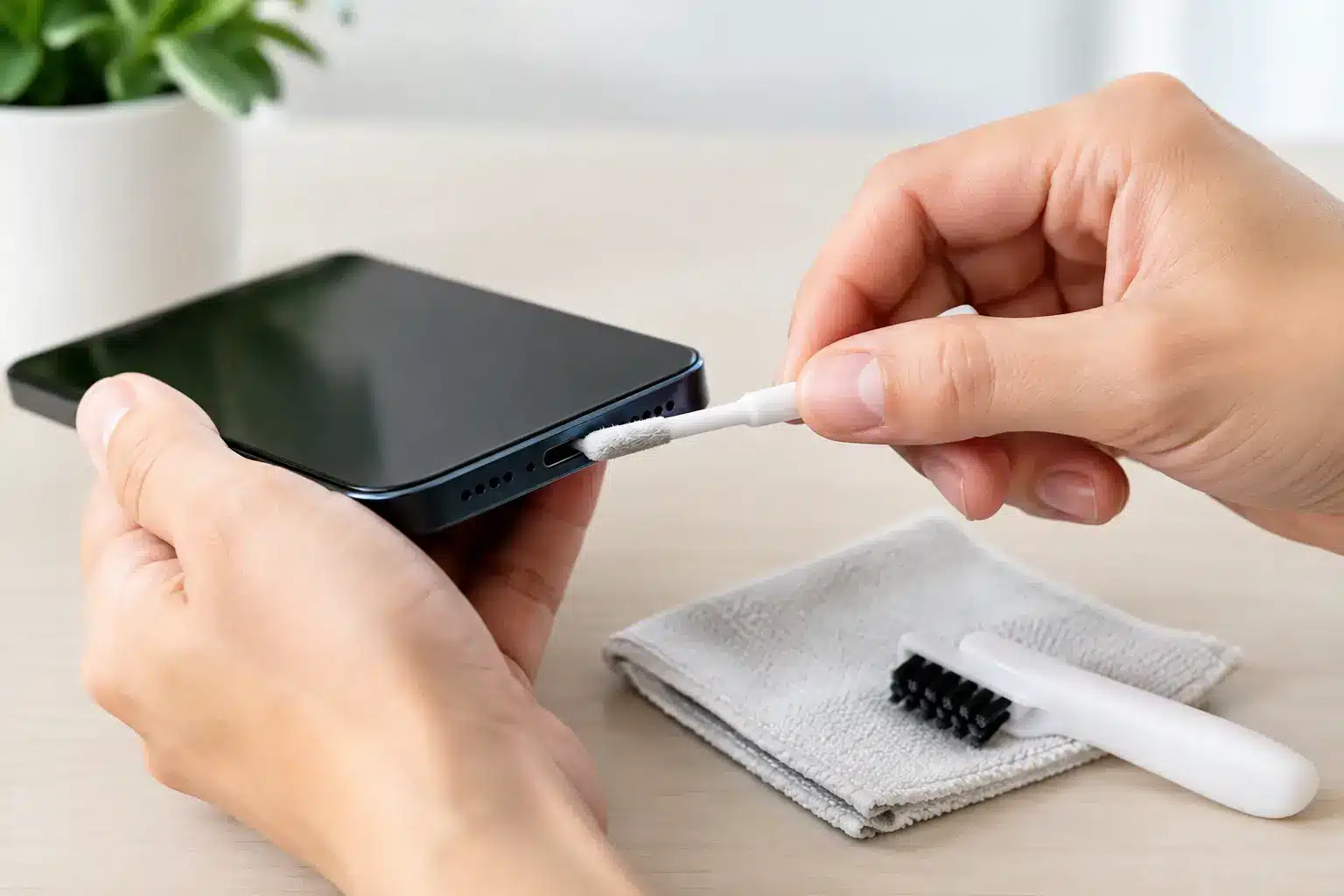
Your phone may appear to be charging one minute, then disconnect when the cable moves by a millimetre. Before assuming the battery has failed, it is worth checking the port. Searches for “how to clean charging port” are usually prompted by one very common problem: compacted pocket lint stopping the plug from reaching the charging contacts properly.
Phones spend their lives in pockets, bags, cars and on desks. Dust and fabric fibres gradually settle at the bottom of the port, where each insertion of a cable presses them down further. The result can be a loose-feeling cable, intermittent charging or a plug that will not click firmly into place.
Cleaning can help, but only if it is done carefully. Charging ports contain small, delicate pins, and a rushed attempt with the wrong tool can turn a straightforward clean into a repair.
First, check whether dirt is really the problem
A dirty port is more likely when the cable works only at a particular angle, repeatedly disconnects, or sits noticeably proud of the bottom of the port. You may also see a visible layer of lint when you shine a torch inside.
It is not always dirt, though. A worn cable, damaged plug, faulty mains adaptor or software issue can produce similar symptoms. Try a known-good cable and adaptor before putting anything near the port. If the second cable fits securely and charges normally, the original accessory is the likely culprit.
Also look at the cable connector. If it is bent, blackened, loose or damaged, stop using it. A damaged cable can harm the port and may become hot while charging.
What you need to clean a charging port safely
Keep the approach dry, gentle and well lit. Switch the device off completely, then place it on a stable, clean surface with the charging port facing you. A bright torch or phone light is useful for seeing what is actually inside.
The safest basic tools are:
- A soft, dry anti-static brush or a clean, soft toothbrush used only for electronics
- A non-metal plastic pick or slim plastic spudger
- A wooden toothpick with a smooth, unfrayed tip
- A dry microfibre cloth for cleaning around, not inside, the port
A plastic tool is generally the better choice because it does not conduct electricity. A wooden toothpick can work for stubborn lint, but use very light pressure. If the wood starts to splinter, discard it immediately rather than risking fibres being left behind.
How to clean charging port debris without damaging it
1. Turn the device off and inspect the port
Power the phone or tablet down. Do not clean the port while it is charging or connected to a cable. Shine your torch into the opening and look for a felt-like layer of compacted fluff at the bottom rather than simply poking around blindly.
On many iPhones with a Lightning connector, lint gathers at the far end of the port and prevents the cable from seating properly. USB-C ports can collect debris around the central tongue, which is especially easy to damage if a tool is pushed in carelessly.
2. Loosen lint gently from the edges
Use the plastic pick or wooden toothpick to lightly tease debris away from the walls and bottom of the port. Work slowly and use short movements. The aim is to lift fluff out, not scrape the contacts or force material deeper inside.
Avoid pressing hard against any visible pins or the central section of a USB-C port. If a piece of debris does not move easily, stop and reassess. More force is not the answer.
3. Brush away loose dust
Once the larger lint has been loosened, use a soft, dry brush around the opening to remove dust. Keep the device angled so debris can fall out rather than settle further inside. A few gentle strokes are enough.
Do not use liquids, cleaning sprays or alcohol inside the port. Even if a product is marketed for electronics, excess liquid can travel where it should not and may leave residue. A charging port should be cleaned dry unless a trained technician has identified corrosion or liquid contamination.
4. Test with a good cable
When you are satisfied that the port is clear, reconnect a known-good cable. It should insert fully and feel secure without excessive wobble. Switch the device on and give it a few minutes to confirm that charging remains stable.
If the cable now clicks into place and charging is consistent, the issue was probably compacted debris. If it still needs to be held at an angle, do not keep bending or wiggling the connector. That can wear the port further and make a repair more involved.
What not to use in a charging port
The quickest way to cause damage is using something conductive or overly aggressive. Never use a paperclip, sewing needle, SIM tool, knife, tweezers or any other metal object. These can scratch or bend the contacts, bridge electrical connections, or break inside the port.
Compressed air is also less helpful than it seems. It may push lint deeper into the device, and some cans can release cold propellant or moisture if used at the wrong angle. Blowing into the port is not ideal either, as breath introduces moisture.
Cotton buds are another poor choice. They are usually too large for the opening and can leave loose fibres behind. If you find yourself having to force a cleaning tool in, it is the wrong tool.
When cleaning will not fix the charging issue
A clean port cannot solve every charging fault. A device may still fail to charge because of a damaged charging assembly, a worn battery, internal corrosion, a board-level fault or a problem with the charging management system.
Arrange a professional assessment if the port feels loose, the cable will not stay in at all, there is visible damage, or the phone gets unusually warm while charging. The same applies if you see green, white or rusty-looking residue. That can indicate corrosion, often caused by moisture, and scraping it at home may make the damage worse.
Wireless charging can offer a useful clue. If the phone charges wirelessly but not through a cable, the battery may be fine and the fault may be limited to the port or charging circuit. If it will not charge by either method, the diagnosis needs to go further.
For customers in Portsmouth and Southsea, iHelp Gadget Repairs can inspect charging faults properly rather than replacing parts on guesswork. A technician can check the port, cable connection and wider charging system, then explain what has failed and what the repair involves before work begins.
Keep the port cleaner for longer
You cannot prevent every speck of dust, but a few habits make a difference. Keep the device out of lint-heavy pockets where possible, particularly loose trouser or coat pockets. Give the charging cable a quick visual check before connecting it, and avoid leaving the phone plugged in where the cable is pulled sideways.
A port cover can reduce dust exposure for some devices, although it is not essential for everyone. It may be useful if you work outdoors, travel regularly, or keep your phone in a work bag with crumbs and debris. For most people, checking the port occasionally and using undamaged cables is enough.
A charging cable should fit cleanly, charge reliably and not need persuading. If yours does not, treat that as an early warning rather than a daily inconvenience. A careful clean may solve it, and if it does not, getting it checked early is usually kinder to both your device and your wallet.