
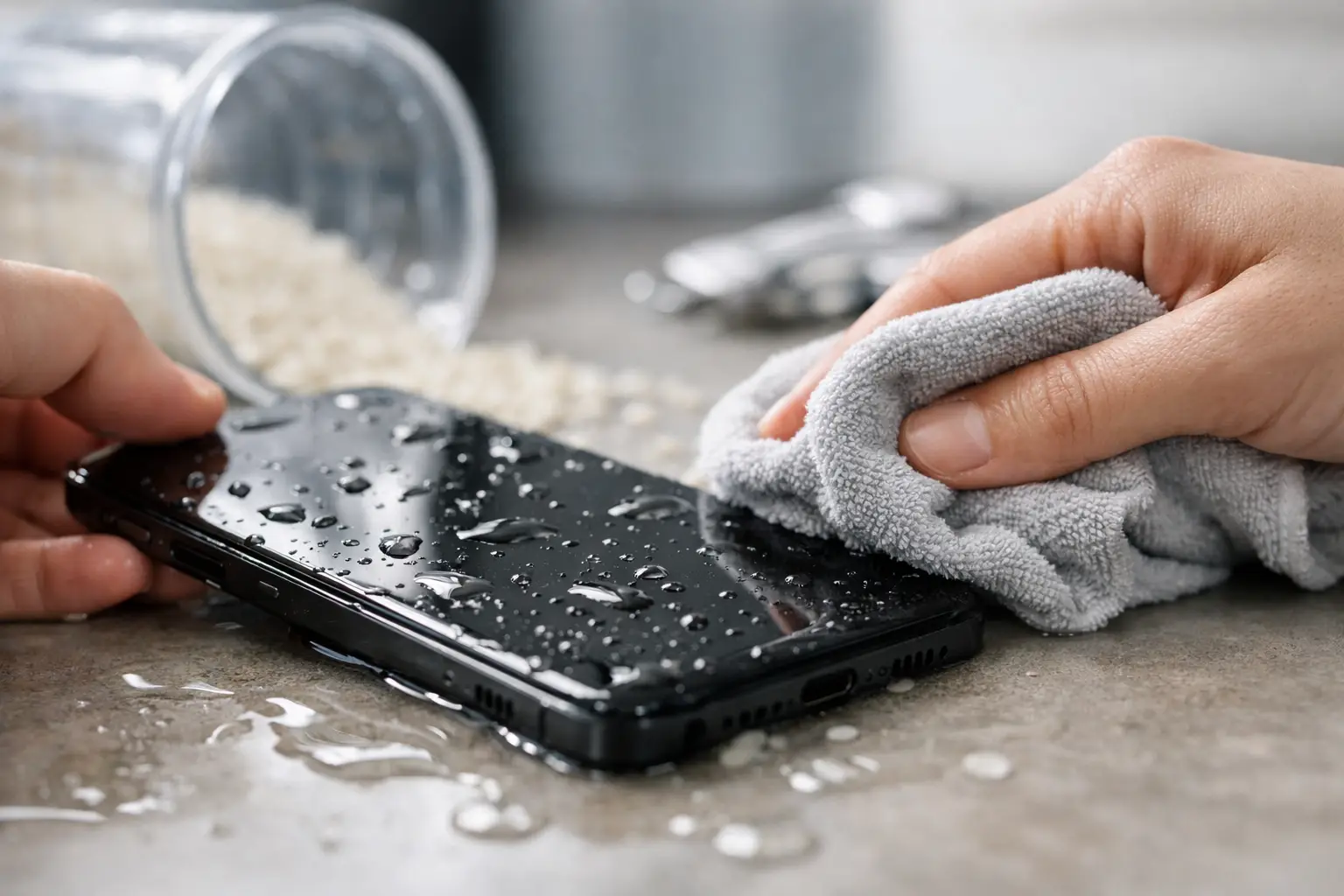
A phone dropped in the sink, caught in rain or left in a damp pocket can feel like an instant disaster, especially when you rely on it for work, family messages, banking and travel. Knowing how to save a water damaged phone quickly can make a real difference, but the wrong ‘fix’ can turn a repairable device into one with permanent damage.
Water does not always kill a phone immediately. The bigger risk is electricity meeting moisture, followed by corrosion developing inside the device over the next few hours or days. The aim is to stop power, remove surface moisture and get proper help before that damage spreads.
How to save a water damaged phone in the first few minutes
Start by taking the phone out of the water straight away. If it is plugged into a charger, switch off the mains power first if it is safe to do so, then disconnect it. Do not pull a wet phone from a live charging cable.
If the phone is still on, turn it off as soon as possible. Do not test the screen, press buttons repeatedly, unlock it or try to make a call. Those actions can send power through areas affected by moisture. If the screen is unresponsive, do not force it. Simply leave the device alone.
Remove the case, SIM tray and any accessories such as charging leads, headphones or removable memory cards. A case can hold water against the frame, while the SIM tray opening gives moisture a route out. Gently wipe the outside with a clean, lint-free cloth, paying attention to the charging port, speaker grilles, buttons and SIM tray area.
Hold the phone with the charging port facing down and lightly tap it against your hand. This may help loose water escape. Do not shake it hard. Vigorous shaking can push water further inside, including behind the screen or towards the motherboard.
Do not use rice, a radiator or a hairdryer
Rice is the best-known answer to water damage, but it is not a dependable repair method. It may absorb a little moisture from the air around the handset, yet it does not remove water trapped beneath connectors, shields or components. Rice dust can also get into the charging port and speaker mesh, creating another issue to fix.
Avoid putting the phone on a radiator, in an airing cupboard, in an oven or under a hairdryer. Heat can damage the battery, screen adhesive, seals and delicate internal parts. It can also dry liquid in the wrong place, leaving behind minerals that later cause corrosion.
Compressed air is another poor choice. It can drive moisture deeper into the phone rather than clearing it. The safest home approach is simple: leave the switched-off device in a dry, well-ventilated room, with the port facing down, while you arrange a professional assessment.
Why charging a wet phone is risky
It is tempting to plug in a phone when the battery is low, particularly if it seems to be working after the accident. This is one of the most common ways water damage becomes worse.
A charging port can retain moisture even after the outside looks dry. Connecting power can cause a short circuit, damage the charging circuitry or affect the battery. Many newer phones show a liquid-detection warning when moisture is found in the port. Take that warning seriously. Unplug the cable and allow the phone to remain off.
Wireless charging is not automatically safe either. Although it avoids the port, it still powers the device and can create heat. Until the handset has been inspected and properly dried, avoid charging it by any method.
The type of water changes the urgency
Clean tap water is usually less damaging than seawater, pool water, sugary drinks, coffee or alcohol. However, no liquid exposure is harmless. Even clean-looking water contains minerals and contaminants that can remain on internal components.
Seawater deserves especially quick attention in Portsmouth and Southsea. Salt is highly conductive and corrosive, so a phone splashed at the beach or dropped near the sea should be switched off, dried externally and assessed as soon as possible. The same applies to pool water because chlorine and other chemicals leave residue behind.
If your phone has been in a drink, do not assume it is fine because it still switches on. Sugar can make buttons sticky, block speaker mesh and speed up internal damage once residue dries. A professional clean may prevent faults that would otherwise show up days later.
When to seek a water damage repair
The honest answer is: sooner rather than later. Some water damaged phones appear normal at first, then develop charging faults, poor battery life, screen marks, muffled sound, camera fogging or random restarts later. That delay is usually corrosion progressing on internal connections.
Arrange an inspection urgently if the phone will not turn on, becomes hot, has a flickering display, shows lines or dark patches on the screen, will not charge, has distorted sound, or has visible moisture inside a camera lens. A swollen battery, chemical smell or unusual heat needs immediate attention. Do not keep using the device in that situation.
A repair specialist can open the handset safely, check for liquid indicators and corrosion, clean affected areas and test the parts most likely to have been damaged. There is no guarantee that every liquid-damaged phone can be saved, particularly if it has been powered or charged while wet. Prompt action gives you the best chance of protecting the phone and the data on it.
Protect your photos, messages and work files
If the phone is still functioning and completely dry on the outside, your priority may be a backup. That is understandable, but do not take risks by charging a phone with a wet port or keeping it switched on for hours just to transfer files.
If it has enough battery and there are no warning signs, a short wireless backup may be possible for some devices. Stop immediately if the phone gets warm, behaves erratically or displays a moisture warning. Where the device is already off, leave it off. Data recovery is often more realistic when further electrical damage has been prevented.
For many people, a phone holds far more than contacts. It contains family photos, coursework, work authentication apps and important messages. Tell the technician if data matters most, so this can be considered before any repair decisions are made.
What a proper assessment should involve
A reliable water damage assessment is more than leaving a phone to dry on a counter. The device needs to be checked internally for residue, corrosion and component damage. Depending on what is found, this may involve cleaning the board, testing the battery and charging system, inspecting cameras and speakers, and checking whether the screen has been affected.
The cost and outcome depend on the model, the liquid involved and how long it remained wet. A phone briefly exposed to rain may need little more than careful inspection and cleaning. A handset dropped in seawater, then charged repeatedly, may have damage across several components. Straightforward advice about the likely outcome matters more than promising a result before the device has been examined.
At iHelp Gadget Repairs, customers speak directly with Dan, so you can explain exactly what happened and get clear advice on the realistic repair options. For local customers, that means no posting your phone away and no guessing who is handling it.
A sensible plan after a spill or drop
The best response is not complicated: remove the phone from the liquid, turn it off, disconnect accessories, dry the exterior gently and do not charge it. Then arrange a professional assessment as soon as you can, especially after seawater, pool water or a sugary drink.
A water damaged phone is not always beyond saving. Giving it time without power, rather than trying quick home remedies, is often the decision that keeps a small accident from becoming a much bigger one.