
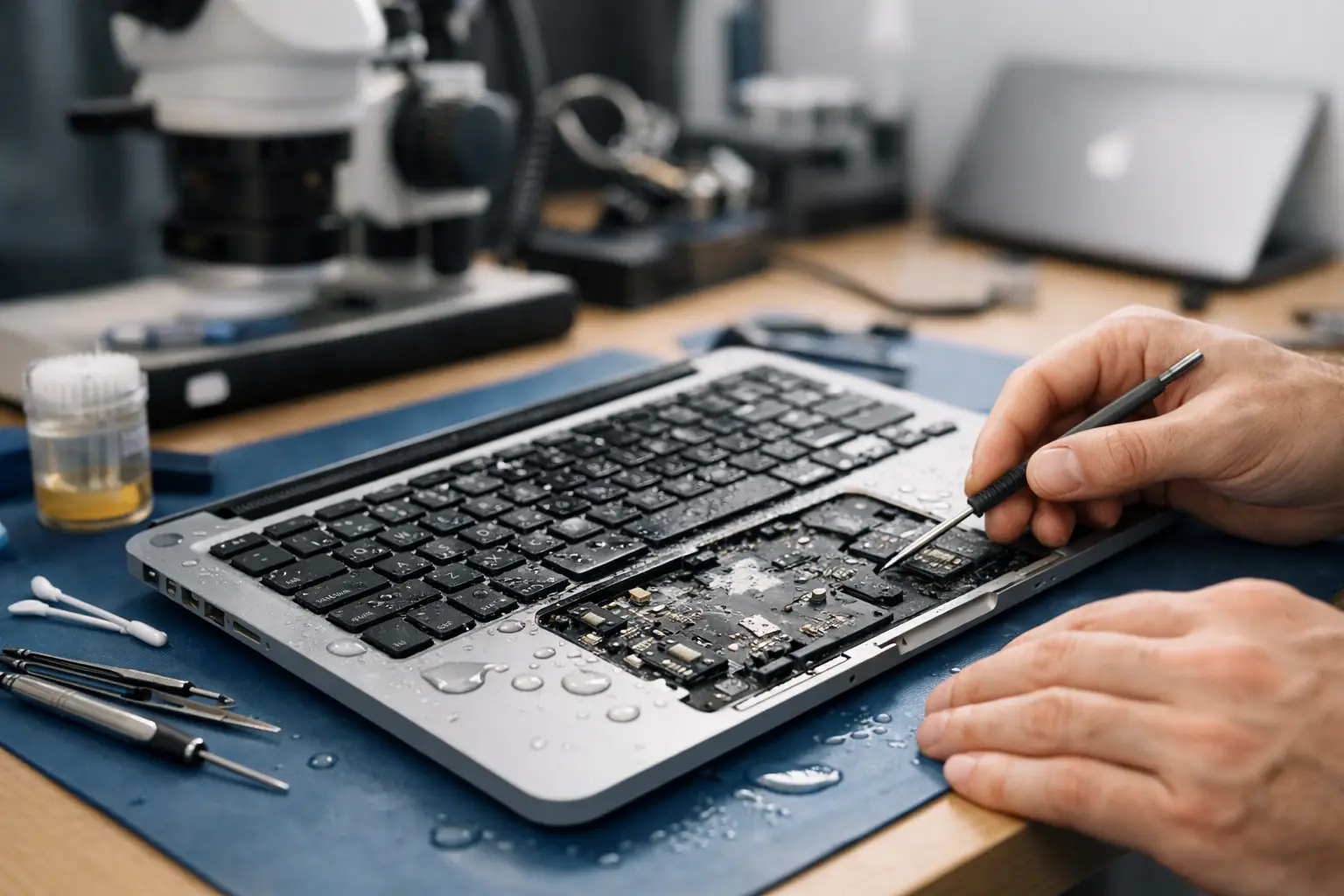
A MacBook liquid damage repair case study is rarely as simple as “coffee spilled, keyboard replaced”. Liquid can travel beneath the keys, around the battery connector and onto components that control charging, power and storage. What happens in the first few hours can make a real difference to the repair options, the cost and the chances of protecting important files.
This representative local repair case shows why proper diagnostics matter after a spill. It also explains when a repair is sensible, when replacement may be the better value choice, and why switching a wet MacBook back on is one of the biggest risks.
The problem: a MacBook that would not charge
The customer had knocked a drink onto the keyboard of a MacBook Air while working at home. They quickly wiped the surface, but the MacBook had been plugged into power at the time. It continued working briefly, then shut down and would not turn back on.
That delay is common with liquid damage. A device may seem fine immediately after a spill, only to develop faults as moisture reaches the logic board or corrosion begins around the affected components. In this case, the customer had done the right thing by stopping attempts to power it on and bringing it in locally rather than repeatedly trying the charger.
Their priorities were clear: establish whether the MacBook could be saved, understand the likely cost before committing, and recover work files if possible. A fast answer matters when a laptop is used for university, work, invoices or family photos.
Why the first response matters
Liquid and electricity are a difficult combination. Water itself may not be the only issue. Drinks can leave behind sugars, salts or acidic residue, which continue to cause corrosion even after visible moisture has dried. A MacBook can therefore fail days or weeks after the original accident if contamination is left on the board.
The first advice after any spill is straightforward: shut the MacBook down if it is still on, disconnect the charger and any accessories, and avoid trying to test it again. Do not use a hairdryer, put it on a radiator or rely on rice. Heat can push moisture further into the device, while rice does not remove residue from electronic components.
Turning the device upside down can help prevent more liquid travelling through the keyboard, but it is not a repair. The MacBook still needs to be opened and assessed properly.
Initial diagnostics: looking beyond the keyboard
On inspection, there was visible residue beneath several keys and evidence that liquid had reached the lower case. The MacBook was not connected to power during this stage. The battery was disconnected first, allowing the affected areas to be examined safely.
The logic board showed early corrosion around part of the power circuit. This was encouraging in one sense: the damage was localised rather than spread across the board. However, it was too early to promise a repair. Corrosion can affect tiny components and tracks that are not obvious until cleaning and further testing have been completed.
A sensible liquid damage assessment should answer three questions before anyone recommends parts:
- Has liquid reached the logic board or battery area?
- Is there corrosion or component damage that needs board-level work?
- Are the display, keyboard, trackpad, charging system and storage likely to be affected?
For this MacBook, the display was intact and the internal storage did not show immediate signs of failure. The immediate concern was the charging and power circuit, plus residue around the keyboard assembly.
The repair: cleaning first, then testing
The repair began with careful internal cleaning to remove contamination and stop corrosion progressing. This is not the same as spraying cleaner through the keyboard or drying the outside of the laptop. The affected board area needs to be inspected under magnification, cleaned using suitable techniques and checked for damaged components.
Once the board was clean and dry, the MacBook could be tested with controlled power. It began responding, but the charging behaviour was inconsistent. Further checks identified a damaged component in the power section that had been affected by the spill. Replacing that component restored stable charging and allowed the MacBook to boot normally.
The keyboard was then tested thoroughly. Several keys were intermittently unresponsive because residue had travelled underneath them. Depending on the MacBook model, it can be more reliable to replace the affected top case or keyboard assembly than to attempt a short-term clean of individual keys. That is one of the trade-offs customers should be told about clearly: the board repair may be successful, but a damaged keyboard can still need separate work for a dependable result.
Data recovery was part of the decision
For many people, the data on the MacBook is more valuable than the laptop itself. Before further stress testing, the customer’s files were backed up where possible. This is particularly important after liquid damage because a MacBook that starts today may still reveal another fault later.
In this case, the customer’s important documents were accessible and copied successfully. That gave them more control over the next step. They could proceed with the repair without the pressure of fearing that every file depended on one damaged machine.
Not every MacBook allows storage to be removed and read separately, especially newer models with integrated storage. This is another reason not to delay. Prompt professional assessment can improve the chance of getting a working system long enough to secure the data.
The outcome and the honest trade-off
After the power circuit repair, internal cleaning and keyboard-related work, the MacBook charged, booted and passed functional testing. The ports, Wi-Fi, trackpad, speakers and display were checked, along with battery behaviour under normal use.
The customer chose repair because the total cost was proportionate to the age and specification of the MacBook. A replacement laptop with similar capability would have cost considerably more, and the files had been secured. The repair also came with clear advice: liquid damage repairs can resolve the fault in front of us, but prior exposure can create longer-term risk if corrosion has affected areas that were not yet showing symptoms.
That is not a reason to avoid repair. It is a reason to be realistic. A straightforward spill caught early may need cleaning and a keyboard repair. A MacBook with extensive corrosion, repeated power attempts or damage across several board areas may require complex work that is no longer economical. The right recommendation depends on the model, age, extent of damage and value of the data.
What this MacBook liquid damage repair case study shows
The key lesson from this MacBook liquid damage repair case study is that speed should not mean guesswork. Replacing a keyboard without checking inside the device can miss the real problem. Equally, writing off every wet laptop ignores the fact that many can be repaired when they are assessed quickly and properly.
At iHelp Gadget Repairs, customers speak directly with the person carrying out the work, so the findings, options and costs can be explained plainly before repair begins. There is no need to send a valuable MacBook away and wait without knowing what is happening.
If liquid has reached your MacBook, treat it as urgent even if it still appears to work. Switch it off, unplug it and arrange an assessment as soon as you can. A careful inspection now may be the difference between a targeted repair and a much more expensive problem later.
