
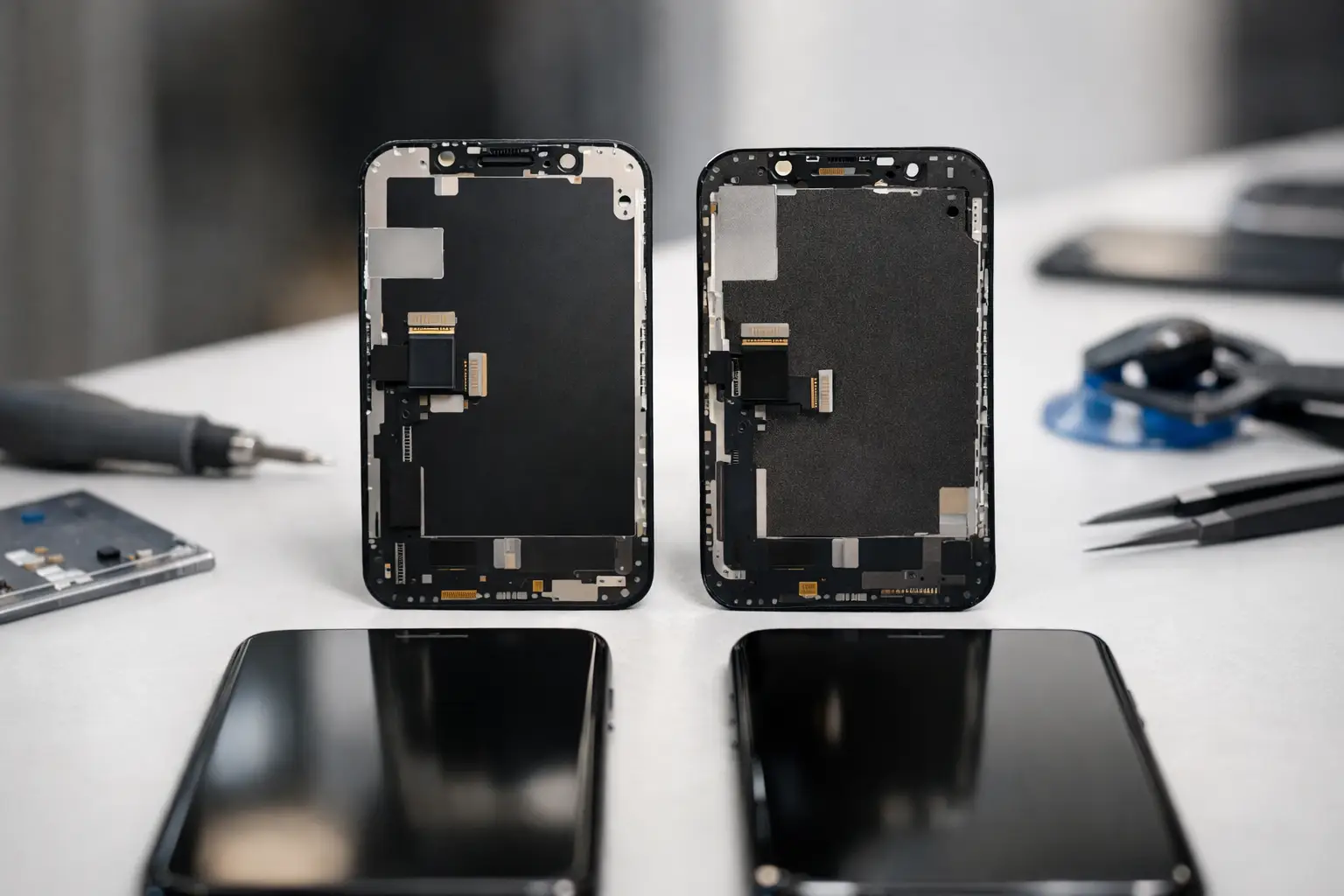
A cheap repair can feel like a win until your new screen stops responding properly, your battery drains by lunchtime, or your charging cable only works at a certain angle. Knowing how to spot poor repair parts helps you avoid paying twice for the same fault – and protects the device you rely on for work, family, study and everyday life.
The problem is not simply whether a part is labelled genuine or aftermarket. There are excellent replacement parts available for many repairs, and there are poor-quality parts that look convincing at first glance. What matters is the quality of the component, whether it suits your specific device, how it is fitted, and whether the repairer is prepared to stand behind the work.
How to spot poor repair parts before a repair
You cannot inspect every component yourself before it goes into your phone, tablet or MacBook. You can, however, learn a great deal from the repairer’s answers. A trustworthy repairer should explain what type of part they intend to use in plain English, tell you if there are different quality options, and be upfront about the price and warranty.
Be cautious if the quote is far lower than every other local price but comes with no useful explanation. A lower price is not automatically a warning sign – independent repairers often have lower overheads than national chains – but a screen, battery or charging repair still needs a part that meets a sensible standard. If the price seems too good to be true, ask what is included and what happens if the repair develops a fault.
A clear warranty is one of the strongest indicators of confidence. It should cover the part and workmanship for a stated period, rather than being a vague promise that only applies if the shop decides the part is faulty. It is also worth asking what is excluded. Accidental damage, liquid damage and fresh impact damage are different from a screen or battery failing under normal use.
Poor parts do not always look poor on day one
The difficult part is that many low-grade components work initially. Problems often appear after a few days or weeks, once the device has been charged, warmed up and used normally. This is why a proper post-repair test and a meaningful warranty matter more than a quick glance at a newly fitted part.
Replacement screens
A poor replacement screen may be dimmer than the original, have a noticeably blue or yellow tint, or look washed out outdoors. Brightness and colour can vary slightly between part grades, particularly on older models, but the display should still be clear, comfortable to use and consistent across the panel.
Touch response is just as important. Open the keyboard and type across the whole screen, including the edges and corners. Slow swipes, missed letters, random touches or areas that do not respond properly can point to a faulty display or poor fitting. On iPhones, check Face ID works as before and make sure the proximity sensor turns the screen off when held to your ear during a call.
Look at the fit around the frame too. The screen should sit evenly, without raised corners, obvious gaps, trapped dust or adhesive showing at the edges. A badly seated screen is not just untidy. It can make the phone more vulnerable to further damage and can affect buttons, sensors or water resistance.
Batteries
Battery health is not judged by the percentage shown immediately after fitting. A new battery should give dependable use, charge normally and avoid excessive heat. If the phone becomes unusually hot while charging, drops quickly from a high percentage, shuts down with charge remaining, or swells the back or screen, stop using it and arrange an inspection straight away.
Very cheap batteries can have lower real capacity than claimed or inconsistent internal protection. That does not mean every non-manufacturer battery is unsafe or unsuitable. It means the supplier and repairer need to be selective, and the part needs to be appropriate for the model. A responsible repairer will not promise unrealistic battery life, because usage, signal strength, background apps and the age of the device all affect how long a charge lasts.
Charging ports and cables
After a charging-port repair, your cable should fit securely and charging should start without repeated plugging and unplugging. Test more than one cable if possible, as a worn cable can imitate a port fault. If charging cuts in and out, the connector feels loose, or the device only charges when placed in a particular position, take it back promptly.
Poor-quality ports can wear quickly, but fitting also matters. A replacement port may involve delicate connectors, microphones and flex cables, so a fault after repair is not always proof that the part itself was bad. The key question is whether the repairer checks the issue properly and takes responsibility for putting it right.
Cameras, speakers and small components
Small parts can reveal a rushed repair. Test both cameras, flash, loudspeaker, earpiece, microphone, vibration, buttons, Wi-Fi and mobile signal before you leave where practical. Make a short call, record a voice note and take a photo in good light. On a tablet or MacBook, test charging, keyboard keys, trackpad, webcam and speakers.
You do not need to turn collection into a technical inspection. A few minutes of normal use can identify a problem while you are still with the person who repaired it.
The repair quality matters as much as the part
Even a high-quality component can cause trouble if it is installed badly. Excess adhesive, missing screws, damaged seals, fingerprints inside a camera lens or a screen that lifts at the edge all suggest poor workmanship. A professional repair should leave the device clean, secure and functioning as expected.
Water resistance deserves particular honesty. Once a phone has been opened, its original factory seal cannot simply be assumed to be intact. A careful repairer can fit new adhesive seals where appropriate, but no one should casually guarantee that an opened device is fully waterproof. Treat it carefully around water after any repair unless you have been given clear, model-specific advice.
For newer iPhones and other devices with paired components, you may also see a settings notification after certain repairs. This does not automatically mean the fitted part is poor. It can be a manufacturer restriction linked to calibration or serialised parts. A good repairer will tell you before work begins if a notification is likely, rather than leaving you to discover it afterwards.
Questions worth asking before you agree
You do not need a technical vocabulary to make a sound choice. Ask whether the part is genuine, original pulled, premium aftermarket or another grade; why that option is being recommended; and what warranty comes with it. If there is a cheaper alternative, ask what you would be giving up in display quality, battery performance or expected lifespan.
Also ask whether the quoted price includes fitting, diagnostics and VAT, and whether there are any likely additional costs. Straight answers are a good sign. So is a repairer who says they need to inspect a liquid-damaged or heavily damaged device before committing to a final price.
At iHelp Gadget Repairs, customers deal directly with the technician rather than being passed between a counter, call centre and workshop. That makes it easier to ask what is being fitted, understand the warranty, and get a clear answer if something does not feel right afterwards.
What to do when you suspect a poor repair part
Do not keep using a device with a swelling battery, severe overheating, a burning smell, smoke, or a screen lifting away from the frame. Switch it off if safe to do so, disconnect it from charging and seek help promptly. Battery faults are not something to monitor for a few more days.
For less urgent faults, make a note of what happens and when. A short video showing a flickering display, intermittent charging or unresponsive touch can help the repairer diagnose the problem quickly. Contact the original repairer first, give them a fair chance to inspect the work, and refer to the warranty terms you were given.
The best repair should not leave you wondering whether your phone will make it through the day. Choose clear advice, suitable parts and a repairer who is easy to reach afterwards – because accountability is part of the repair, not an optional extra.